
Meescan
Meescan Inc.Libraries & Demo
4.65.00 Reviews
- Version
- 5.00.18
- Installs
- 10.00K
- Age Rating
- Everyone
Screenshots
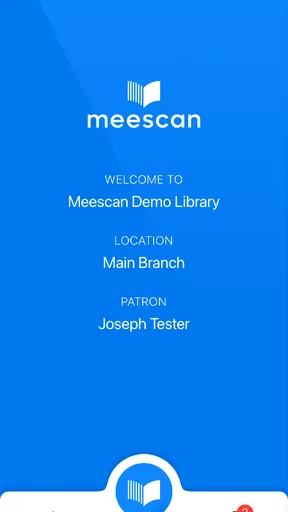

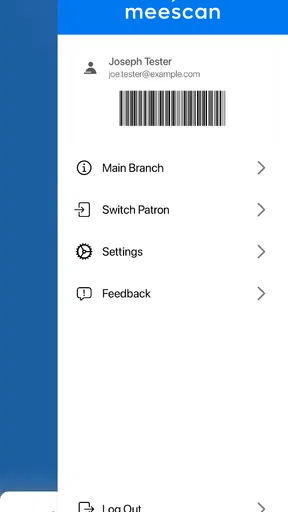
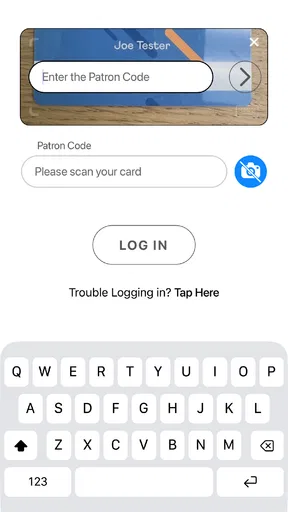
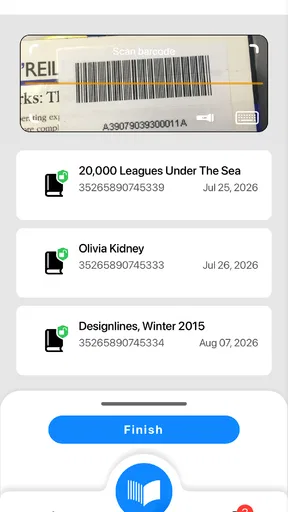
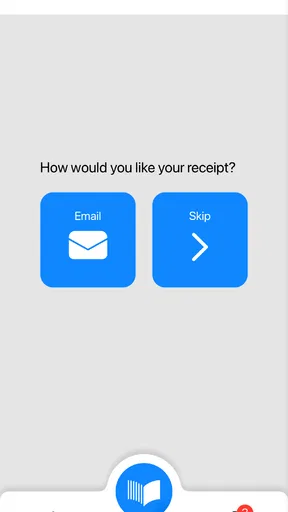
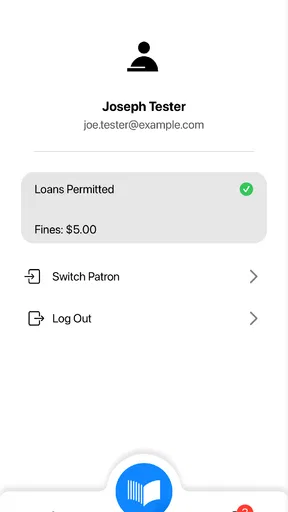
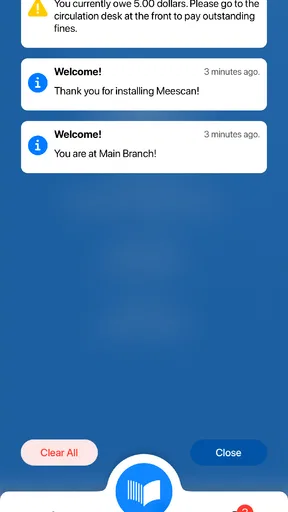
Our Review of Meescan
 Analysis by Appyee
Meescan caught my attention because it treats the phone as part of the library checkout process rather than merely a catalogue or reading tool. Its store summary, “Self-checkout in your pocket!”, describes the central idea neatly: the app is intended to make borrowing more convenient when a participating library supports the service. In my experience, that makes it a very different kind of library app from one focused mainly on searching books or managing a reading list.
It is a free app in the Libraries & Demo category, developed by Meescan Inc. The app is aimed at Everyone, so its basic purpose is easy to understand for families, students, and regular library visitors alike. With an average rating of 4.6 from around nineteen ratings and over ten thousand installs, it has a small but encouraging footprint. I would describe it as a practical tool for a specific library environment, not a universal replacement for every library card or checkout desk.
How Meescan feels when the network is part of the checkout
The most important thing to understand is that Meescan’s usefulness depends on the surrounding library setup. A self-checkout app cannot do much in isolation: it needs to communicate with the library’s system and recognize the items being borrowed. That means connectivity is not a background detail here. It shapes the moment when the app is most valuable, especially when I am standing in a library with a stack of books and want to leave without waiting at a staffed counter.
When the connection is behaving, the appeal is immediate. I can imagine browsing shelves, deciding on several items, and handling the checkout from the same device already in my hand. The benefit is not that the app makes books easier to discover; the benefit is that it can shorten the final administrative step. That distinction matters. Someone looking for recommendations, digital borrowing, or a sophisticated catalogue may need a different library app, while someone who mainly wants a quicker physical checkout may find Meescan much more relevant.
There is also a practical trade-off. A self-checkout action is more sensitive to timing than casually browsing a catalogue. If the phone has a weak connection, the library’s network is busy, or the app cannot immediately communicate with the service, I would not treat the item as successfully borrowed until the app clearly confirms the transaction. The safest habit is to verify the completed checkout before leaving the building. That small pause prevents the most frustrating kind of mistake: assuming a scan worked and discovering later that the loan was never recorded.
For that reason, I would use Meescan at a natural stopping point rather than while rushing out the door. After scanning or submitting the items, I would review the result, check that the expected books appear, and only then put the phone away. This is a more reliable workflow than treating the app like a simple barcode reader whose job ends the instant the camera or scanner reacts.
A realistic visit with the app
Picture a quick visit after work. I have selected a couple of novels and a children’s book, and the normal checkout area has a short line. With Meescan installed, I can try to complete the transaction from the library floor. If the connection is stable, this can make the visit feel noticeably less interrupted: I do not have to move from the shelves to a counter, wait, and then repack the same books.
The less obvious part is what happens when one item does not behave as expected. I would separate the confirmed items from the uncertain one instead of repeating the entire process blindly. If the app shows a clear result for some books but not another, the sensible next step is to ask library staff about that item. It may require a different handling process, and repeatedly attempting the same action could create confusion rather than solve it.
This is where Meescan differs from the usual alternatives. A traditional staffed desk gives me immediate human confirmation and help with exceptions. A self-service kiosk offers independence but remains fixed in one place. Meescan’s advantage is mobility within the library, but its weakness is that the phone, the app, the item, and the library’s system all have to cooperate at the same time. I prefer it for straightforward visits; I would choose the desk when the transaction is unusual or I need an answer rather than speed.
Why the mobile setting matters
Using a phone instead of a kiosk changes the rhythm of borrowing. I am not tied to a particular machine, which can be useful in a busy branch or when I have already finished selecting books in another area. The phone is also easier to carry while I browse, so the checkout process can feel like part of the visit rather than a separate stage at the end.
That freedom comes with ordinary mobile friction. A phone may be in a pocket with a nearly empty battery, a screen may be difficult to read under bright lights, or a protective case may make handling awkward. None of these problems is unique to Meescan, but they matter more when the phone is the checkout tool. I would arrive with enough battery for the visit and keep the screen clean, particularly if the app needs me to point the device at item labels or read a confirmation.
I also would not assume that every person in a household will find the same workflow equally comfortable. A confident smartphone user may appreciate avoiding a line, while someone who prefers physical cards, larger displays, or staff assistance may find the app less approachable. The Everyone age rating tells me the app is broadly suitable in terms of content, but that does not mean the mobile interaction is ideal for every age or accessibility need.
Another useful consideration is privacy in public spaces. A phone-based checkout may be convenient, but I still need to pay attention to what is visible on the screen when entering or reviewing account information. I would avoid handing the unlocked phone to someone else and would complete the process myself where possible. That is a simple mobile habit, yet it becomes important when a personal library service is being used in a shared environment.
What to do when the process fails
The most realistic test of Meescan is not a perfect checkout; it is the recovery process after something goes wrong. Connectivity can fail at exactly the wrong moment, and a scan can appear to register without giving me the confirmation I need. In that situation, I would first stop and read the current screen instead of tapping repeatedly. Repeated attempts can make it harder to tell which action succeeded.
My recovery routine would be simple. I would check whether the phone still has a usable connection, keep the item in hand, and look for a clear completed result. If the app remains uncertain, I would take the item to library staff or use the normal checkout route. The important point is that Meescan should be treated as a convenience layer, not as a reason to leave with an unresolved transaction.
This is also why I would avoid closing the app immediately after an apparent success. A moment spent confirming the final state is worth more than a few seconds saved. If the app has a history or confirmation area available in the version installed, that is where I would look for reassurance; if the screen does not make the result clear, staff assistance is the better answer than guessing. I am deliberately cautious here because checkout status is more important than speed.
Library staff remain part of the experience even when self-checkout is the goal. Meescan can reduce routine interaction, but it cannot replace help with damaged labels, account restrictions, unusual materials, or a connection problem. That is not a failure of the concept. It simply defines the app’s best use: ordinary borrowing is a good fit, while exceptions still belong with people who can inspect the library record directly.
Using it without wasting mobile data
Because connectivity affects the experience, I would be thoughtful about where the phone gets its connection. If the library provides a reliable network, using it may be more comfortable than relying on mobile data, especially during a longer visit. I would not repeatedly refresh the app or restart a checkout just because a screen takes a moment to respond. Patience is more data-conscious and can also reduce the risk of duplicate actions.
For a quick checkout, the amount of data used may not be the main concern; reliability is usually more important. Still, people with limited mobile plans should avoid treating the app as something to keep open and refresh continuously while browsing. I would select my items first, then perform the checkout in one deliberate session. That keeps the network activity tied to the task instead of turning the whole library visit into an unnecessary stream of requests.
There is a second data-conscious habit that is easy to overlook: do not assume that a successful-looking screen means the phone can be put away immediately. A final confirmation may require a brief exchange with the service. Waiting for that exchange to finish is better than walking away and later trying to reconstruct what happened. In other words, saving data does not mean rushing; it means avoiding needless retries and keeping the process focused.
I would also install the app before arriving rather than trying to prepare everything at the entrance. The current version is 5.00.18 and it requires Android 8.0 or newer, so compatibility is something I would check before planning to depend on it for a visit. Installing and opening it in advance gives me a chance to see whether the phone handles it comfortably and whether my library is part of the intended service environment, without creating pressure at the checkout point.
Who will appreciate Meescan most?
I think Meescan is best for regular library users who already know where they want to borrow from and value a faster, more flexible checkout. It makes particular sense for people who dislike waiting in line, visit during busy periods, or prefer handling routine transactions without staff involvement. Families may also appreciate the ability to keep the process attached to the adult’s phone while selecting several items together, provided the final status is checked carefully.
It is less convincing for someone who expects a full-featured library discovery platform. The short store description presents Meescan as a self-checkout tool, and that is the lens I would use when deciding whether to install it. If my main needs were searching a catalogue, placing holds, reading digital content, or managing a broad collection of library services, I would compare it with the official app offered by my library or network. Meescan’s focused purpose is its strength, but also its boundary.
I would also skip relying on it when my phone is old, nearly out of battery, or unable to maintain a dependable connection. A staffed desk is a better option when I need certainty more than convenience. The same applies if I am borrowing materials that may have special handling rules or if the account situation is complicated. Self-checkout works best when the transaction is routine and the app gives me an unambiguous result.
The developer, Meescan Inc., has kept the product identity centered on the checkout task rather than surrounding it with unrelated features. I like that focus because it makes the app easier to judge: it either improves the borrowing moment at a supported library or it does not. Its rating and install count suggest that it has found a real audience, though I would still make the final decision based on whether my own library supports the service and whether my phone meets the requirement.
My connectivity verdict
After looking at the complete experience, I see Meescan as a useful convenience for the right setting, not an app I would recommend blindly to every library member. Its best quality is the way it moves self-checkout onto the phone, allowing me to handle a routine borrowing task without staying beside a kiosk or waiting at a counter. That is a meaningful improvement when the connection is steady and the library’s system recognizes the transaction promptly.
The main limitation is equally clear: the app cannot make connectivity problems disappear. A weak signal, an unclear confirmation, or an unsupported library can turn a quick checkout into a situation that needs staff intervention. I would therefore keep the normal checkout option in mind and never leave with books until the loan is visibly confirmed. That approach preserves the convenience without pretending that mobile self-service is infallible.
For a free app rated for Everyone and compatible with Android 8.0 or newer, the barrier to trying it is fairly low. My recommendation is strongest for frequent visitors who want a focused self-checkout experience and are comfortable checking the result before walking away. If that describes you, Meescan is worth trying as a pocket-sized checkout companion. If you mainly want catalogue search, digital borrowing, or dependable help with exceptions, your library’s broader official service or a staffed desk will probably serve you better.
In short, I like the idea because it solves a specific annoyance rather than attempting to become an entire library ecosystem. Connectivity determines whether that convenience feels effortless or fragile, so I would use it deliberately: prepare before the visit, complete the transaction in a stable location, confirm every item, and ask for help when the app leaves any doubt. Used that way, Meescan can make ordinary library borrowing feel quicker without asking me to sacrifice confidence in what was actually checked out.
Verdict
Strengths of Meescan
- Fast barcode scanning makes product checks quick and convenient.
- Clear ingredient and nutrition details support more informed purchases.
- Useful for comparing products while shopping in physical stores.
- Simple interface is easy for first-time users to understand.
- Can help identify products that match personal dietary preferences.
Limitations of Meescan
- Product information may be incomplete for less common items.
- Scan accuracy can depend on lighting and barcode condition.
- Some results may vary by country or regional product database.
- Internet access may be required to retrieve full product details.
- Health ratings should be treated as guidance, not professional advice.
Similar Picks in This Category
View All
PGT: GFX, Launcher & Optimizer
Trilokia Inc.4.5

AusweisApp Bund
Governikus Service GmbH3.7

Cardboard
Google LLC3.2

Gamers GLTool with Game Tuner
Trilokia Inc.4.5

Multi Web Chat - Read Secretly
World Scan & Cleaner3.8

App Cloner Premium & Add-ons
App Listo1.9
Frequently Asked Questions
What is Meescan and what can I use it for?
Meescan is a mobile scanning application designed to help users capture, organize, and manage information using their smartphone camera. Depending on the version and supported features, it may be useful for scanning documents, codes, labels, or other visual content. Before downloading, check the app description carefully to confirm which scanning tools, export options, and supported formats are available on your Android or iOS device.
Is Meescan free to download and use?
Meescan may be available as a free download, but some functions can depend on in-app purchases, subscriptions, advertising, or account requirements. The basic version may provide access to essential scanning features, while advanced tools could be restricted. We recommend reviewing the store listing and pricing details before installing, especially if you need unlimited scans, premium exports, cloud storage, or an ad-free experience.
Does Meescan require an internet connection?
The camera-based scanning process may work without a constant internet connection, which can be convenient when you are traveling or working in places with limited coverage. However, features such as synchronization, cloud backups, online recognition, account access, advertisements, or sharing may require connectivity. Offline availability can also vary by device and app version, so test the functions you need before relying on Meescan without internet access.
Is Meescan safe to use with personal documents and information?
Before scanning passports, receipts, identification documents, or other sensitive material, review Meescan’s privacy policy and permissions. Pay attention to whether images are processed locally or uploaded to remote servers, how long data is retained, and whether third-party services are involved. You should also download the app only from an official store and avoid granting camera, storage, or account permissions that are not necessary.
Which devices are compatible with Meescan?
Compatibility depends on the specific Meescan version, operating system, and hardware requirements. A device with a functioning camera is normally necessary for scanning features, while older phones may offer slower recognition or fewer capabilities. Check the official Google Play or Apple App Store listing for the minimum Android or iOS version, supported devices, and any regional restrictions before proceeding with the download.
